Your travel lists,
always ready
One trip, one list. Start from a template of around 150 items, adapt it once and find it ready for every departure.


Scan to download
Point your phone's camera at the QR code to open the right store.
Features
Made for people who travel often
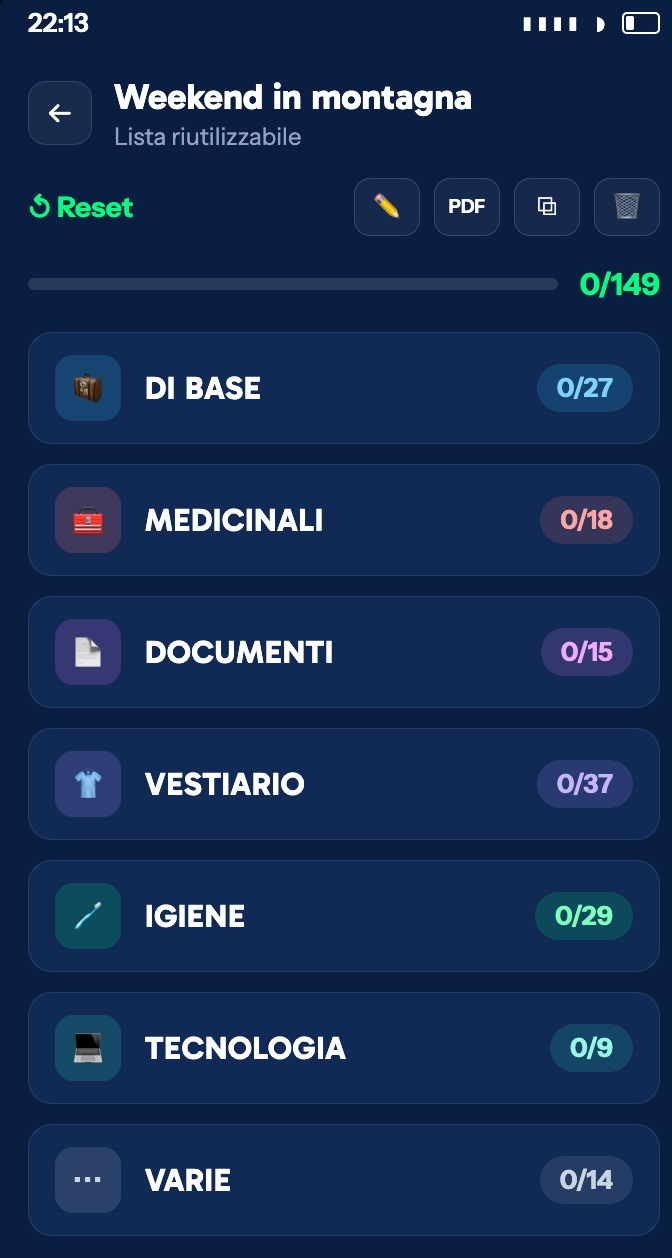
A checklist ready in seconds.
Start from a template of around 150 items, already sorted into categories: essentials, medicines, documents, clothing, toiletries, tech.
Your personal template.
The changes you make stay for every future trip. No need to rebuild the list each time: you always start from your own.
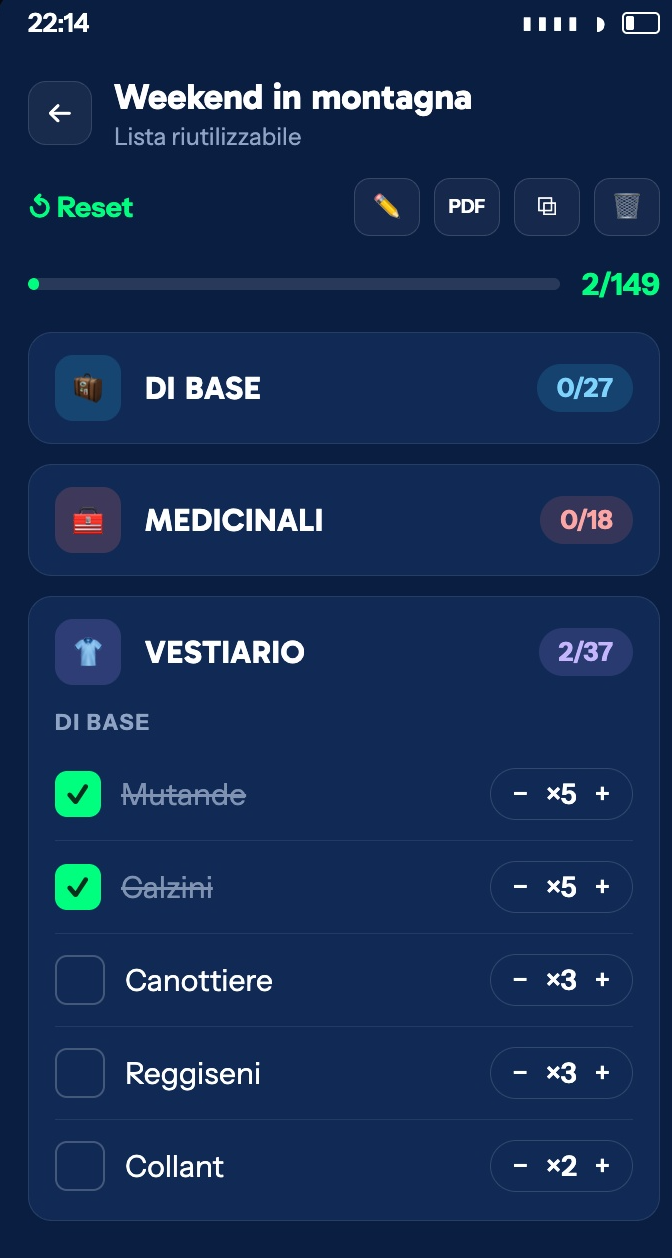
Tick and count.
Quantities for every item and the trip's completion percentage, always at the top of the list.
Custom categories.
A category just for a motorbike trip, and none of the items you don't need — without touching the template.
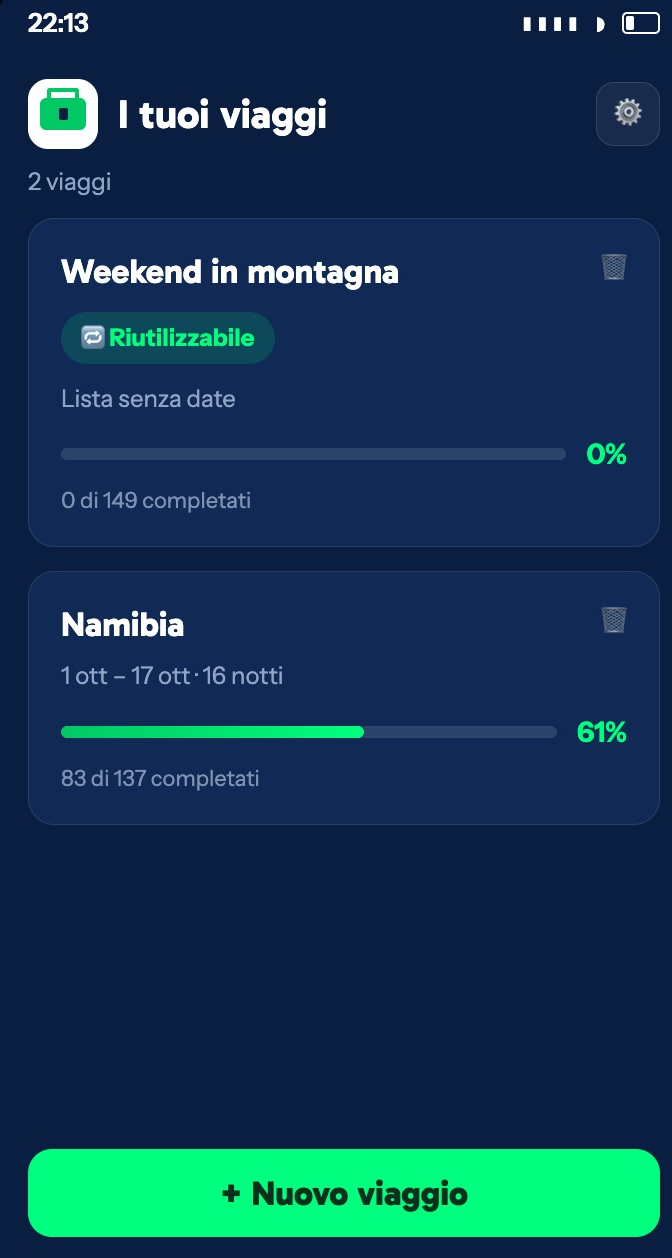
Clone a trip.
Start again from a list you've already made, with every tick cleared.
The forgotten list.
Note down what you forgot, so you don't make the same mistake on your next trip.
Works offline
On a plane or with no signal, your list still works. Sync resumes on its own as soon as you're back online.
Export to PDF
Print it or share it. Works in aeroplane mode too.
Easy sign-in.
With Apple, Google or email. Whichever you prefer.
How it works
Three steps, then you're off
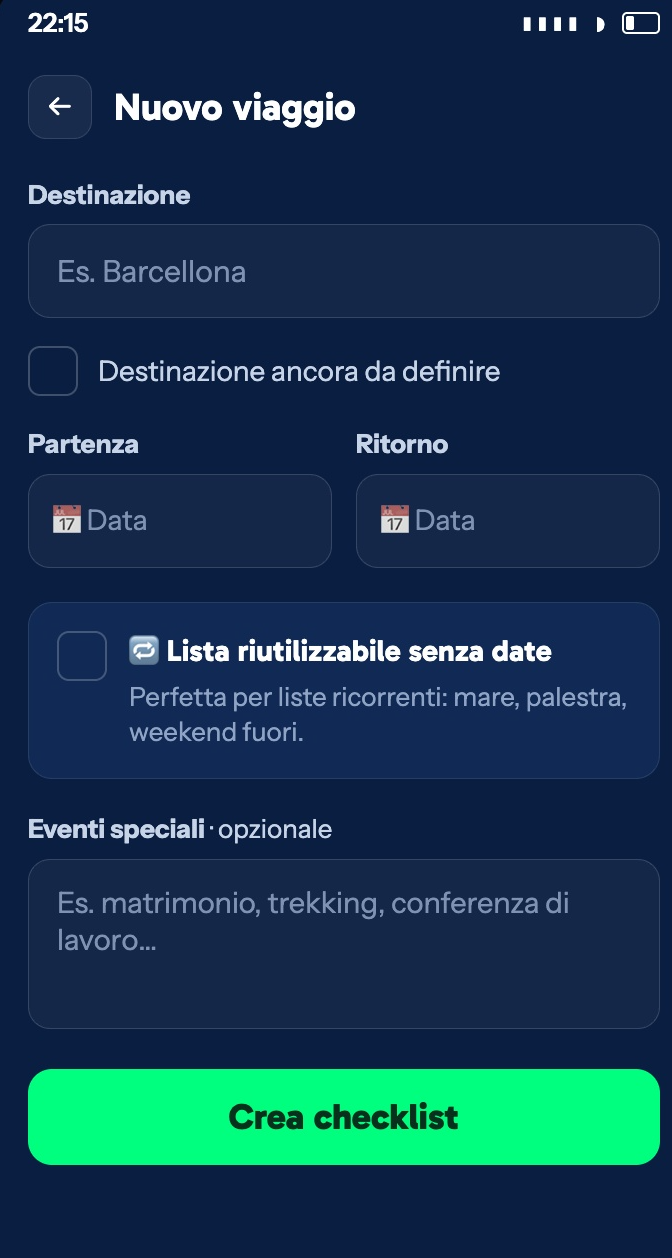
Create the trip.
A name and dates, or an undated list to reuse.
Customise it.
Add categories, remove the items you don't need, set quantities.
Tick and go.
The percentage goes up as you fill your suitcase.
Privacy, plainly explained
Your data stays yours
No profiling without your consent: no tracking of how you use the app, and personalised ads only if you accept them.
Data hosted in the EU
Your account and lists are stored on servers in Ireland.
Delete in the app
You delete your account from Settings, without having to write to anyone.
Personalised ads only with consent
If you decline, you see non-personalised ads and the app works exactly the same.
FAQ
Frequently asked questions
Is Valigiamo free?
Yes, it's free for everyone. To support its development it shows a discreet ad banner, never full-screen.
Does it work offline?
Yes. Valigiamo works offline: you can view and edit your checklists anywhere, even without a connection. Your data syncs automatically as soon as you're back online.
Do I have to rebuild the list for every trip?
No. The changes you make to your template carry over to future trips, and you can also duplicate an existing checklist to create a new one with the same structure, without re-entering everything.
How do I delete my account?
In the app, go to "Impostazioni → Zona pericolosa → Elimina account" (Settings → Danger zone → Delete account). Deletion is immediate and permanent: all your data (trips, checklists, profile) is erased.
Your next trip, packed in five minutes
Download Valigiamo and start from your own list, not a blank page.
Scan to download
Point your phone's camera at the QR code to open the right store.